

Breakout rooms turn a large call from an audience back into participants. Here is how to run them without losing anybody.
Opening rooms
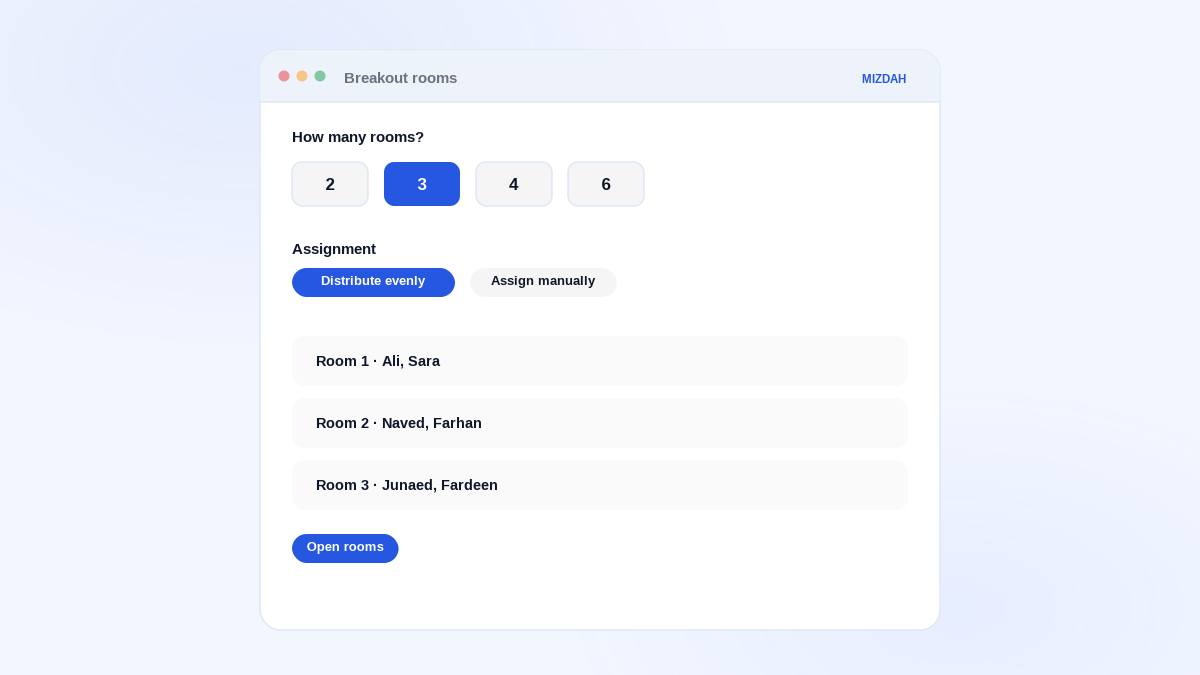
As host, open the participants panel and choose Breakout rooms. Pick how many you want and either assign people yourself or let Mizdah distribute them evenly.
Review the assignment before you open. Groups of three or four work best; above six a breakout has the same problem as the main call.
While they are open
You can move anyone between rooms while the session runs, and join a room yourself to see how a group is doing. Dropping in changes the conversation, so do it briefly.
Broadcast a message to reach every room at once — the usual use is a time warning, which is worth sending a couple of minutes before you close them.
Chat, screen sharing and the whiteboard all work inside a room exactly as they do in the main meeting.
Closing
Closing the rooms returns everyone to the main meeting. Participants get a moment's notice rather than being pulled mid-sentence.
What makes them work
Give each room a written prompt before you open them, and say what they should come back with. Groups told exactly what they are producing arrive with it; groups given a topic arrive with a discussion.
Insights and guides from the team building Mizdah.
Ready to communicate better?
Start using Mizdah today — no download, no sign-up to join.
Get Started