

Breakout rooms are now available in every Mizdah meeting. A host can split a large call into smaller rooms, visit them, and pull everyone back to the main room when time is up.
What you can do
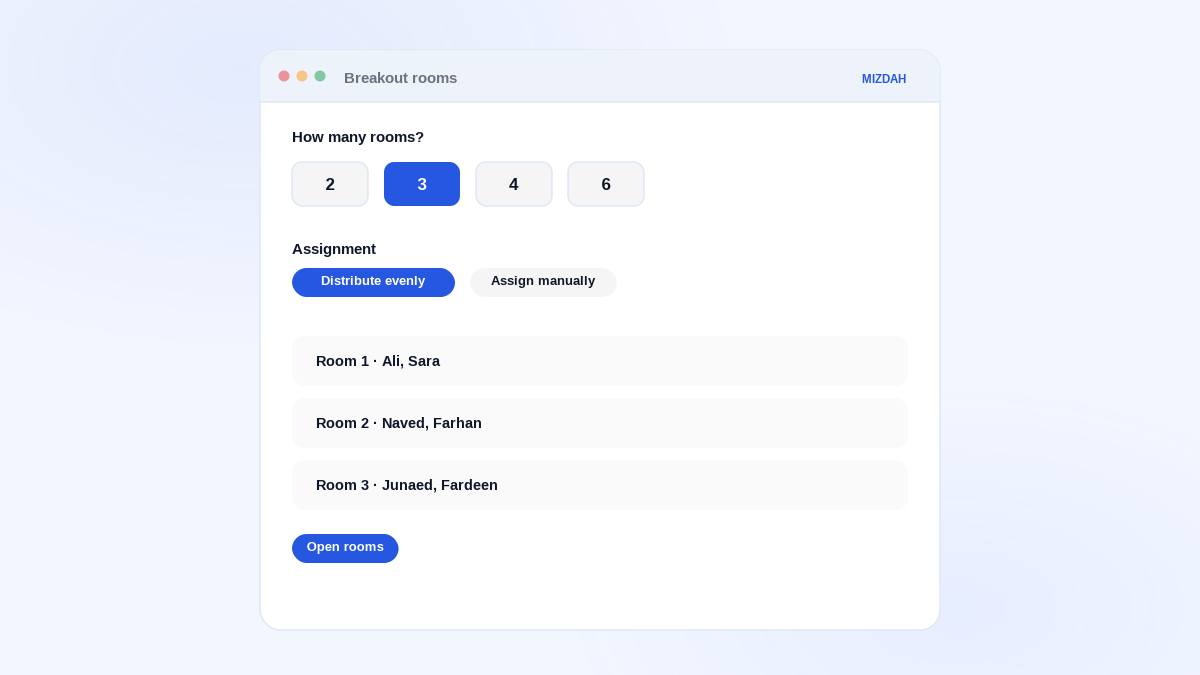
Create rooms manually or let Mizdah distribute participants evenly. Move anyone between rooms mid-session, join a room yourself to see how a group is doing, and broadcast a message to every room at once.
Closing breakouts returns everyone to the main meeting. Chat, screen sharing and recording all work inside a room exactly as they do in the main call.
Why it matters
A twenty-person call cannot have a conversation. It can have a presentation with questions, which is a different and much less useful thing. Breaking into groups of four turns an audience back into participants.
This is most obvious in training and workshops, where the whole point is practice rather than delivery.
Getting started
Open the participants panel as host and choose Breakout rooms. Pick how many rooms you want, review the assignment, and open them.
Insights and guides from the team building Mizdah.
Ready to communicate better?
Start using Mizdah today — no download, no sign-up to join.
Get Started